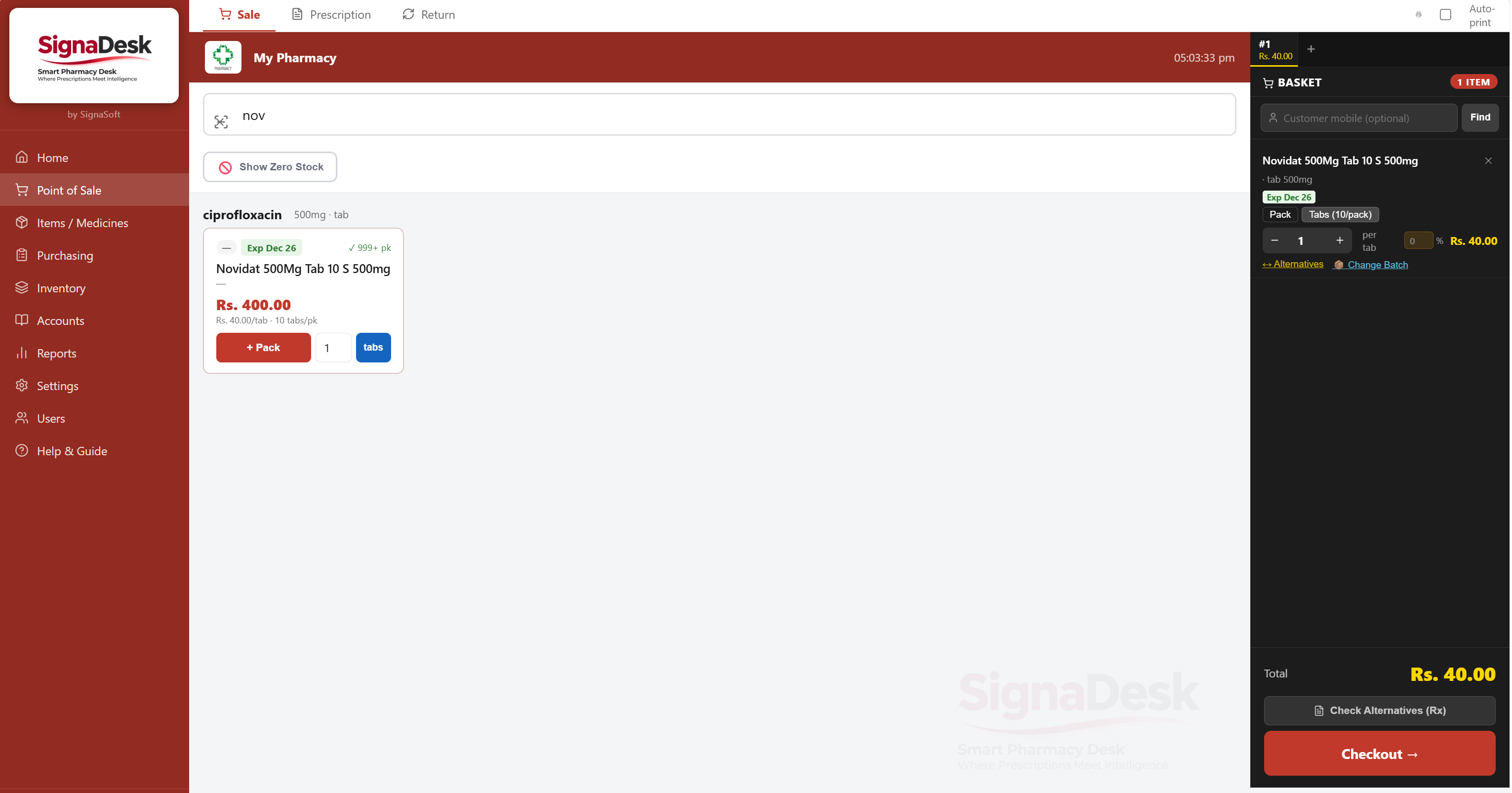
Point of Sale
Search by brand, generic, or barcode. Medicine cards show batch, expiry, pack size, and price. Basket tracks totals in real time with a one-click checkout.

Every major SignaDesk module in full detail — from the billing counter to accounts, purchasing, inventory, and management reports.
Fast basket management, prescription assistance, loyalty rewards, and WhatsApp receipt delivery — all at the counter.
Search by brand, generic, or barcode. Medicine cards show batch, expiry, pack size, and price. Basket tracks totals in real time with a one-click checkout.
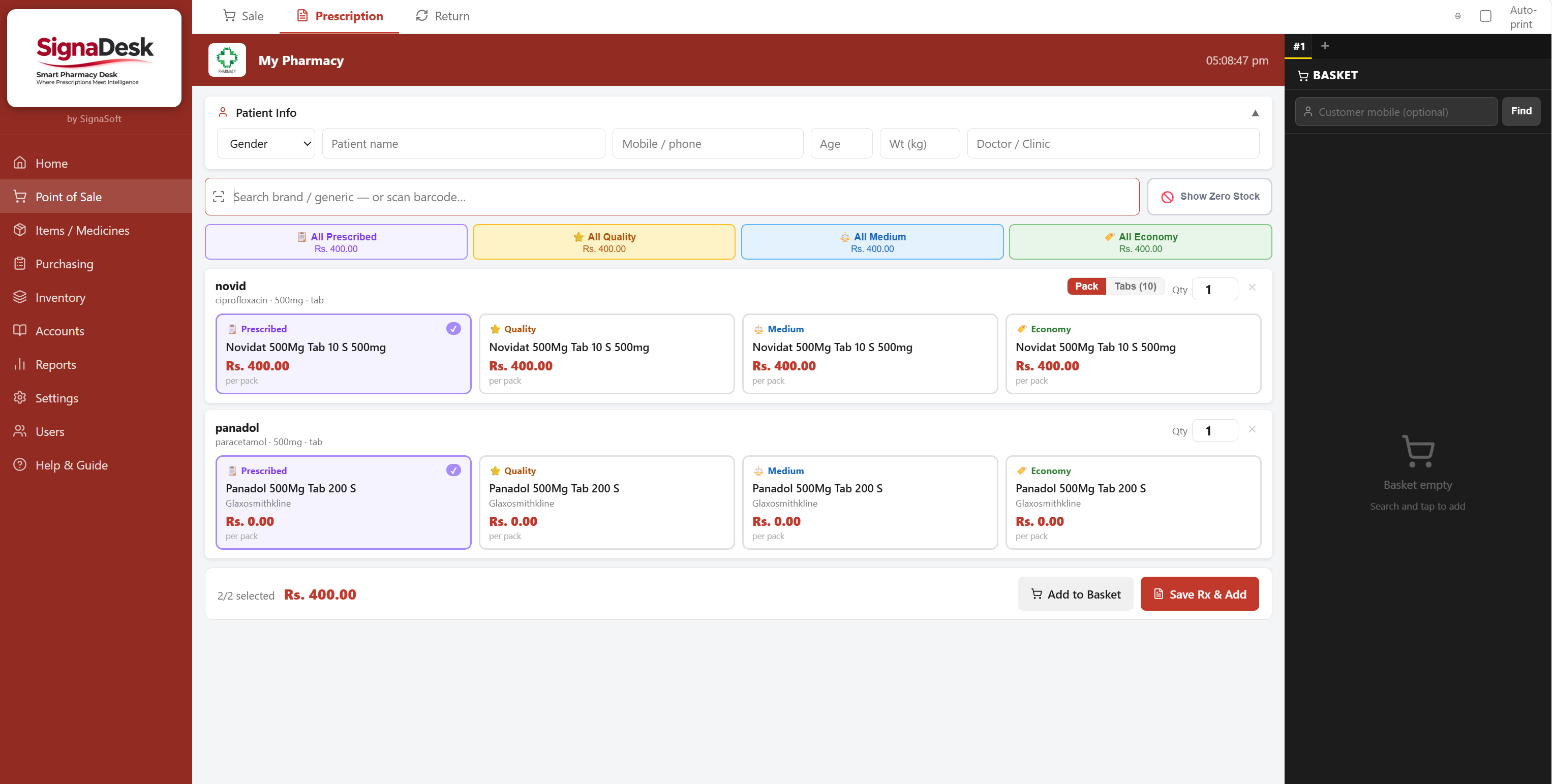
For every prescribed drug, staff see All Prescribed, Quality, Medium, and Economy alternatives side by side — with total basket cost for each choice.
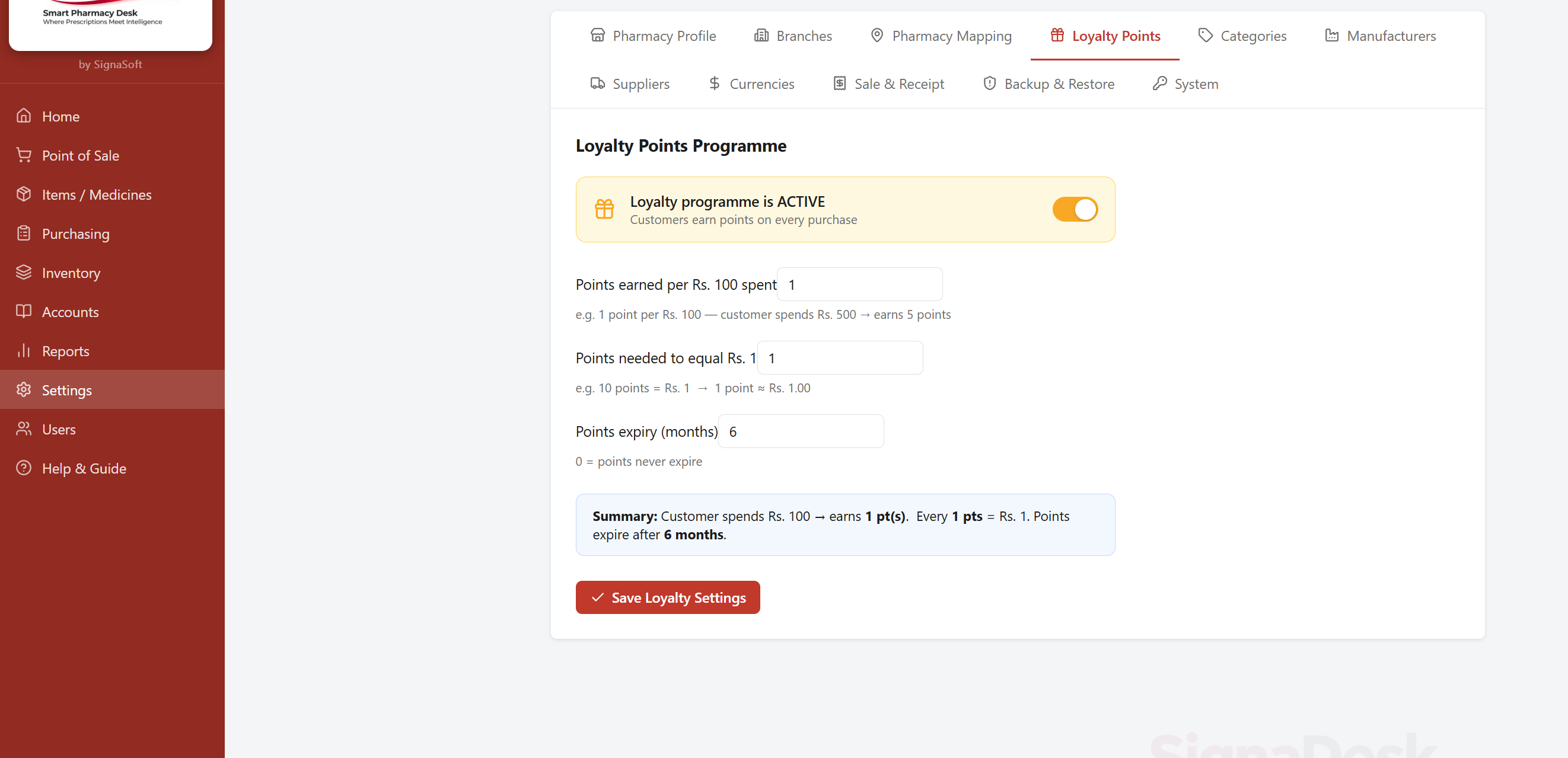
Customers earn points on every purchase. Points convert to a discount at checkout. Balance shown at billing, applied with one click.
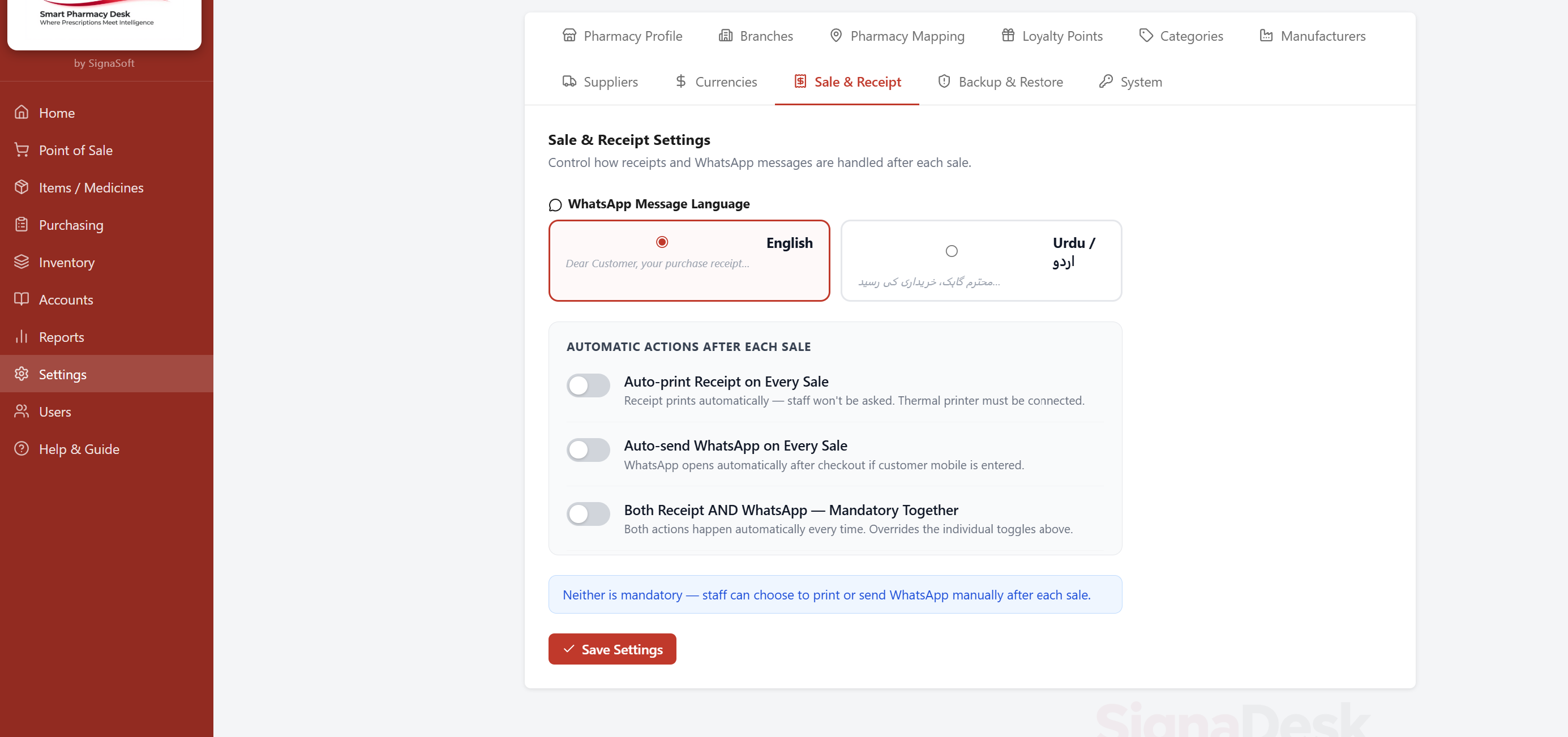
Choose the customer receipt language (English or Urdu). Toggle auto-print, auto-send WhatsApp, or both together. Customers receive a full receipt instantly after checkout.
Raise orders, receive batches with expiry and cost, print barcode labels immediately after receiving.
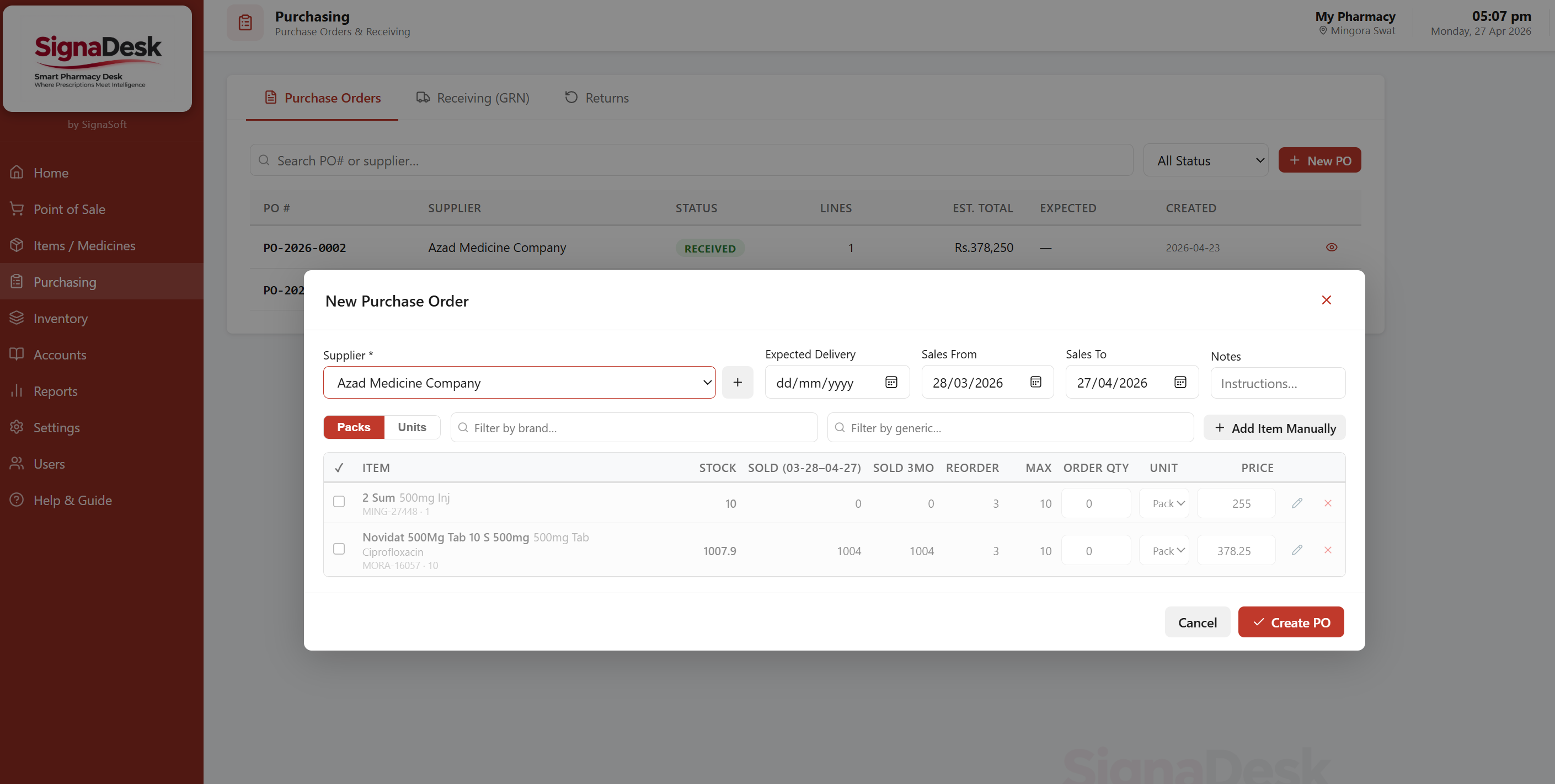
Create purchase orders for any supplier. Send via WhatsApp in English (or Urdu) with one click. Orders track expected quantities against what is eventually received.
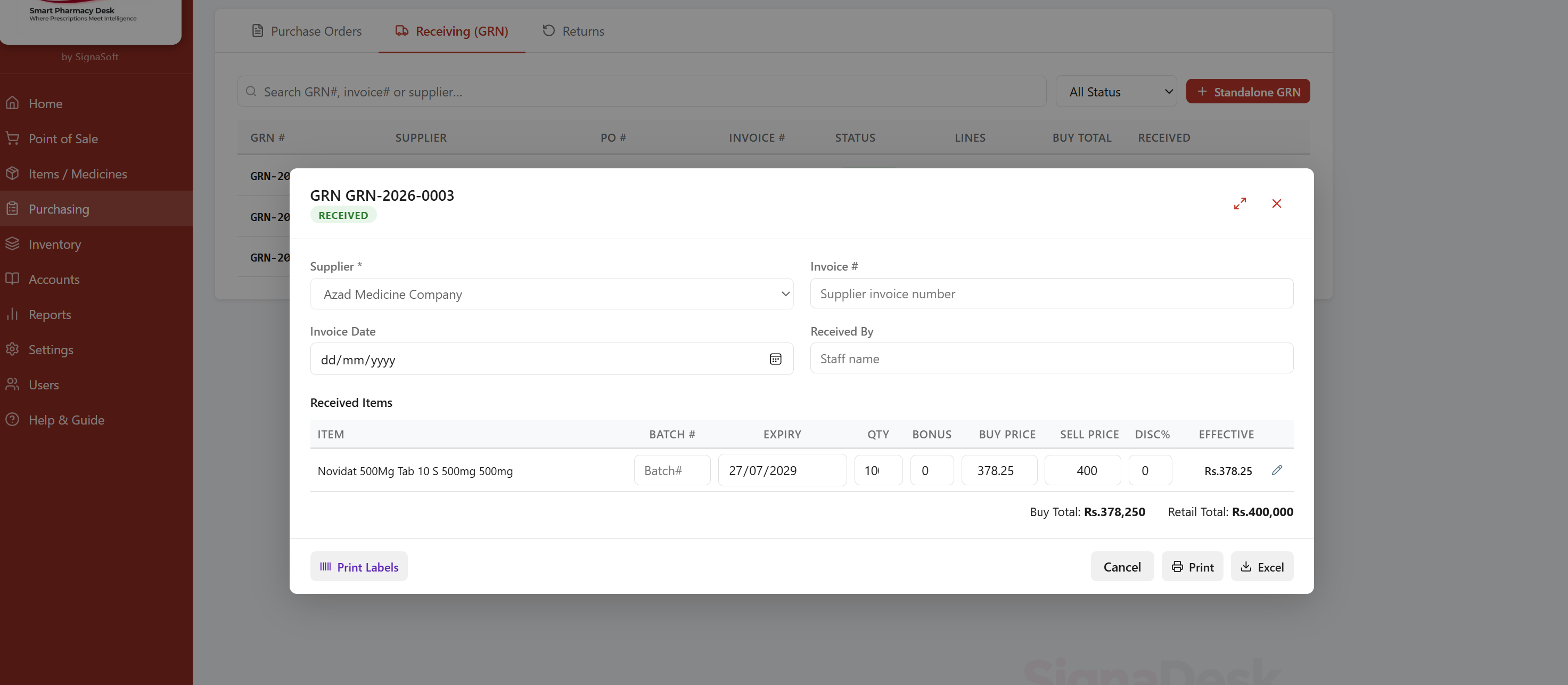
Record batch number, expiry, quantity, buy price, and sell price per line. Buy total and retail total auto-calculated. Print batch barcode labels directly from this screen.
Run routine or full counts, enter physical quantities, and let the system calculate variances automatically.
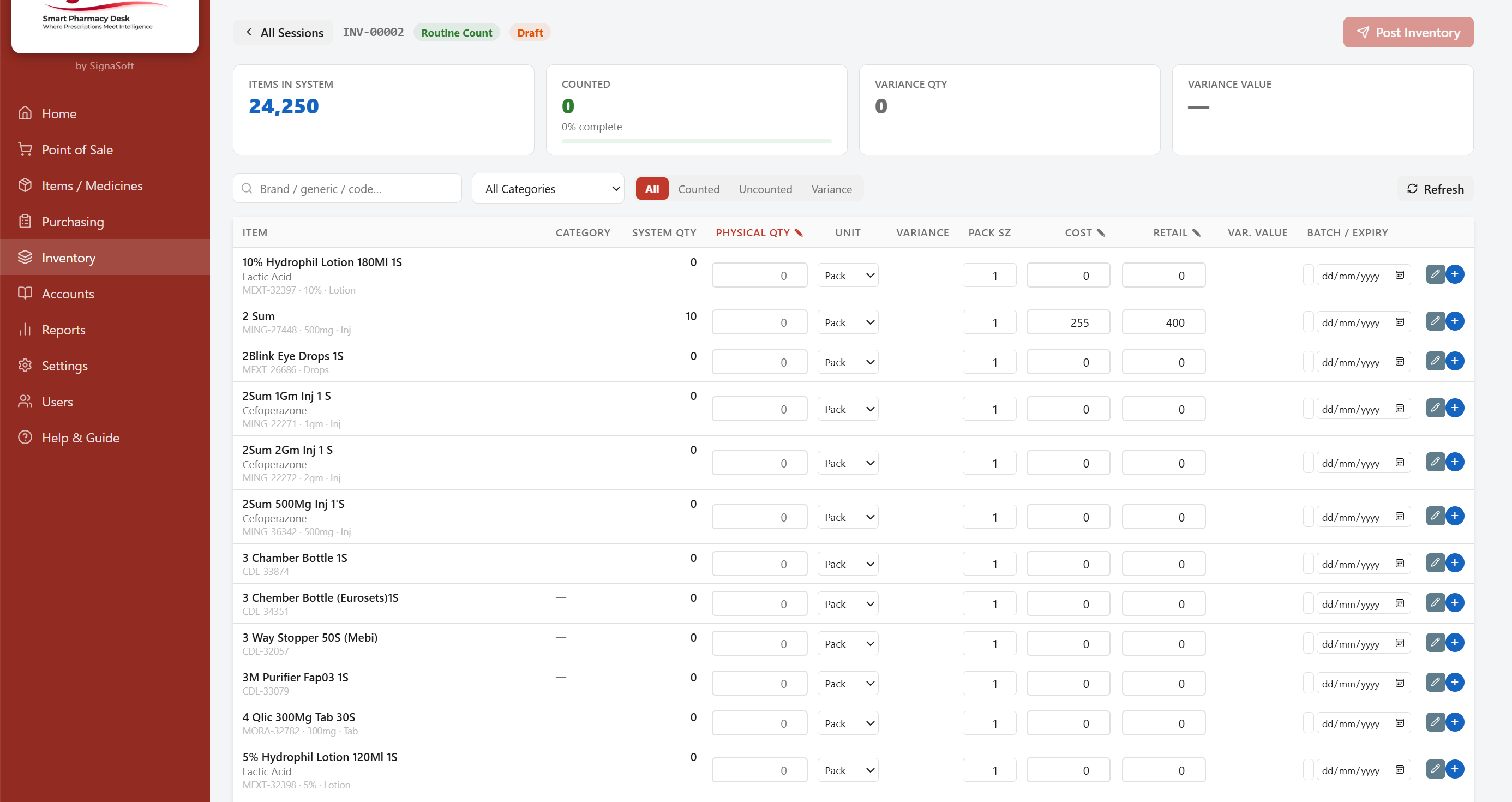
Shows items in system, counted, and variance qty. Each row has physical qty entry, pack size, cost, retail, batch, and expiry. 24,250 items handled with fast search and category filter.
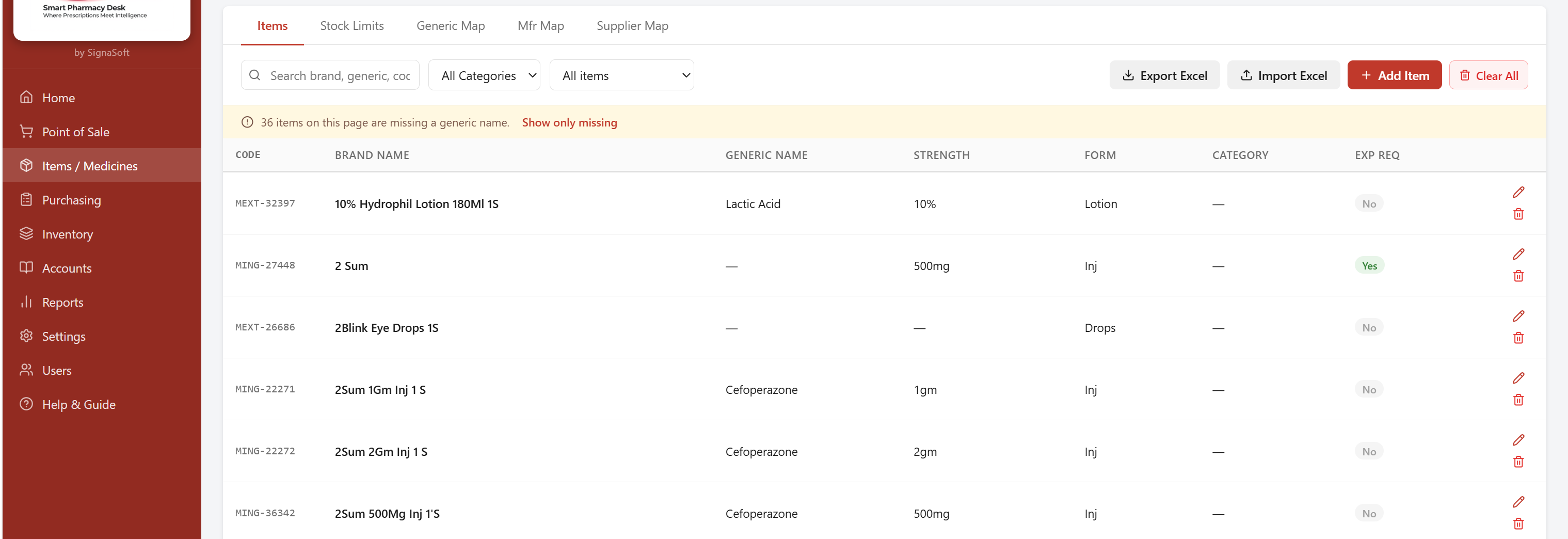
Full item detail view — generic name, category, pack size, retail price, manufacturer class, and shelf location. Over 24,000 medicines pre-loaded and searchable.
Complete financial control from daily cash shifts to partner investment tracking and profit distribution.
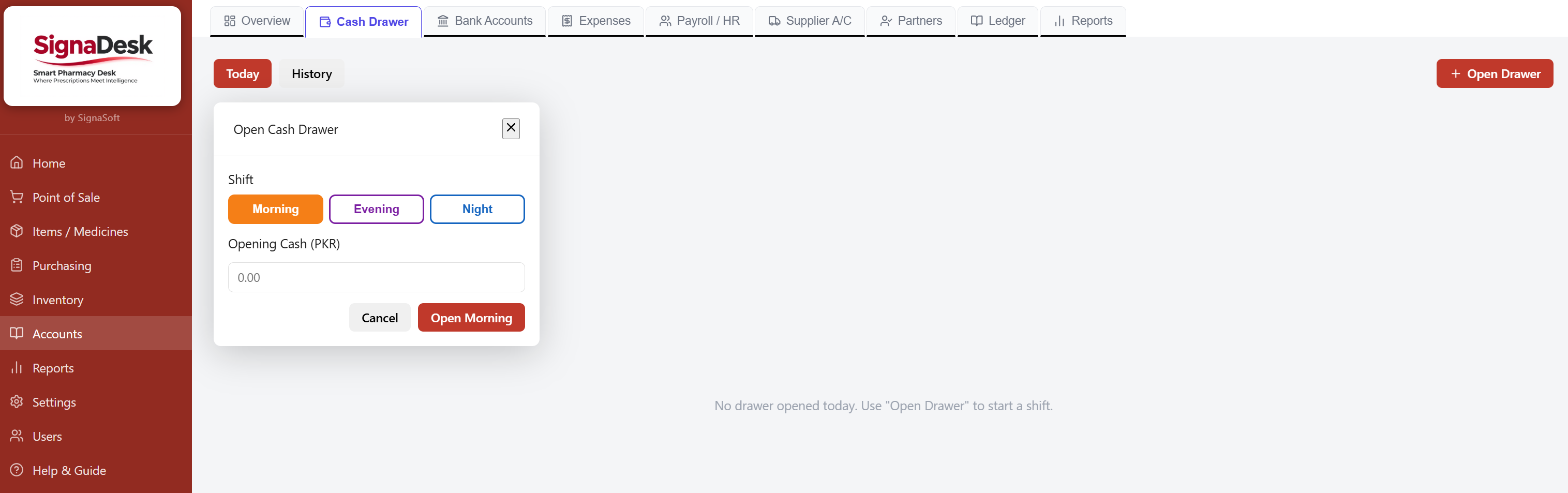
Open separate drawers for Morning, Evening, and Night shifts. Each shift tracks opening cash, sales collected, expenses, and closing balance independently.
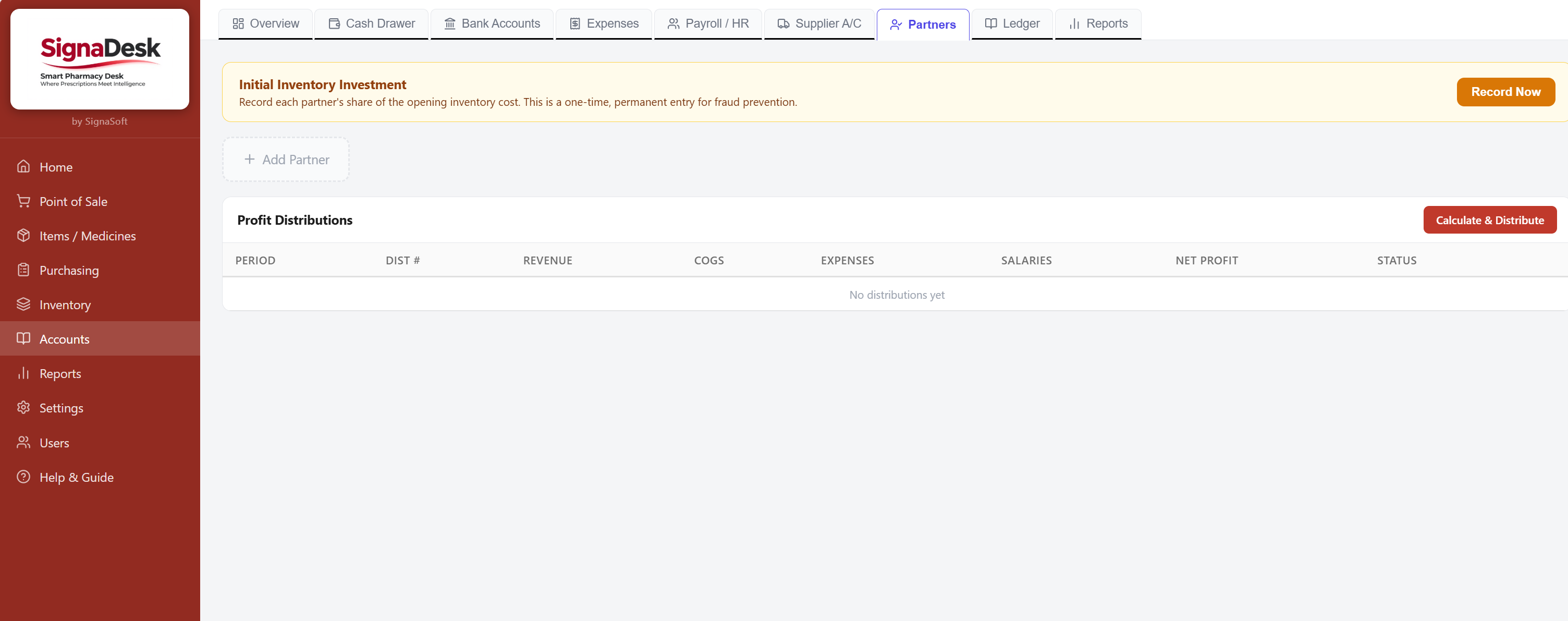
Record each partner's initial inventory investment as a permanent, fraud-proof entry. Calculate and distribute profit by period with a full audit trail.
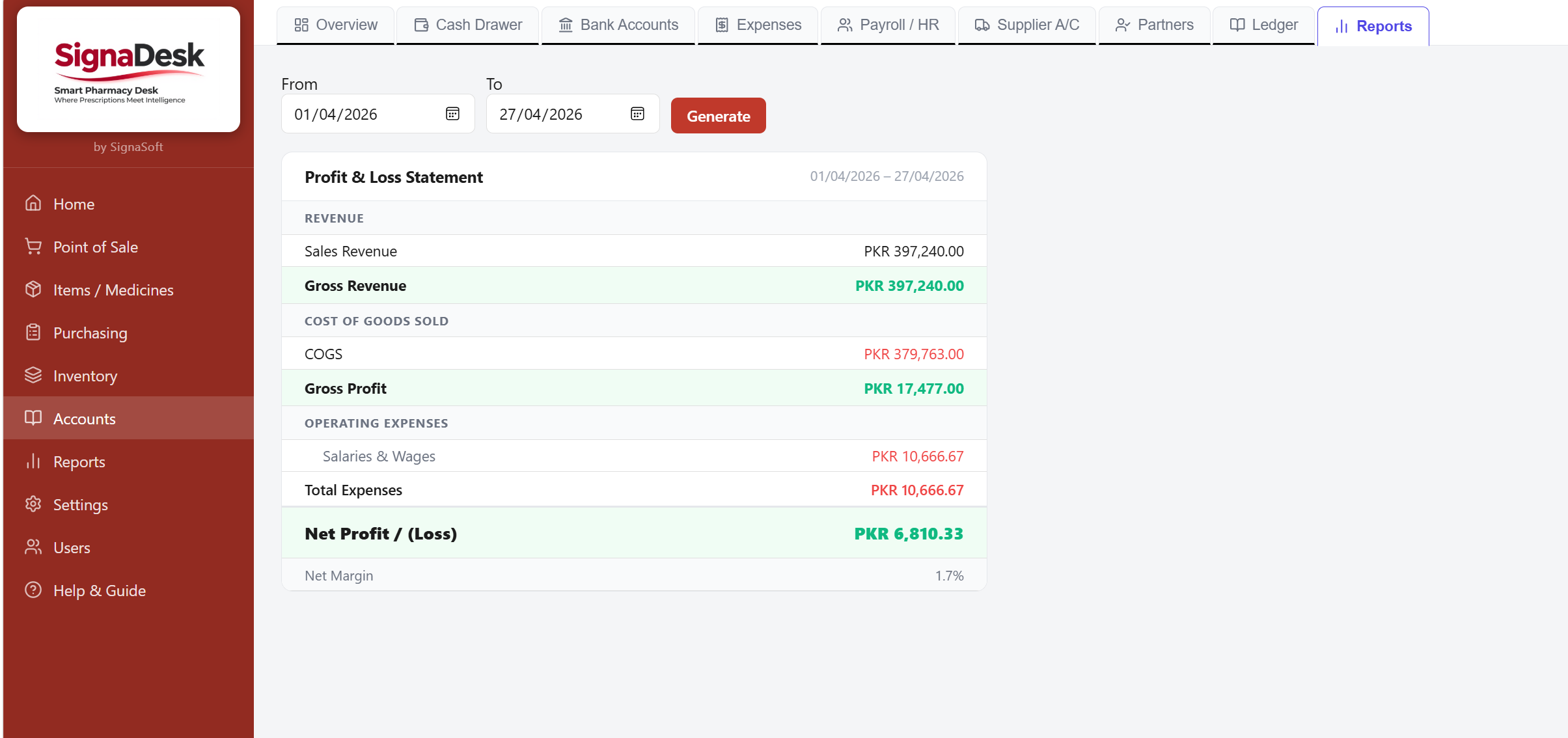
Full P&L statement in the Accounts module: sales revenue, COGS, gross profit, operating expenses, salaries, and net profit with margin percentage.
Date-range reports covering every angle — what sold, what was purchased, what stock is worth, and where profit went.
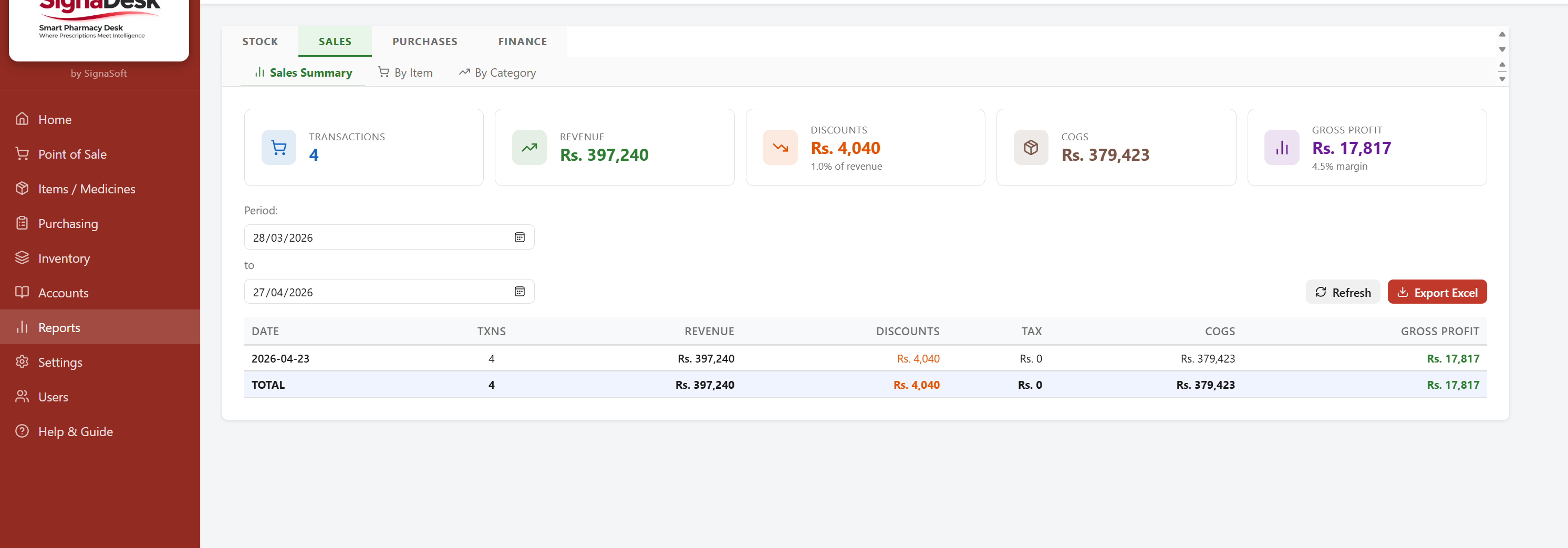
Filter by date range to see total sales, items sold, and revenue. Drill down by category, item, or salesman.
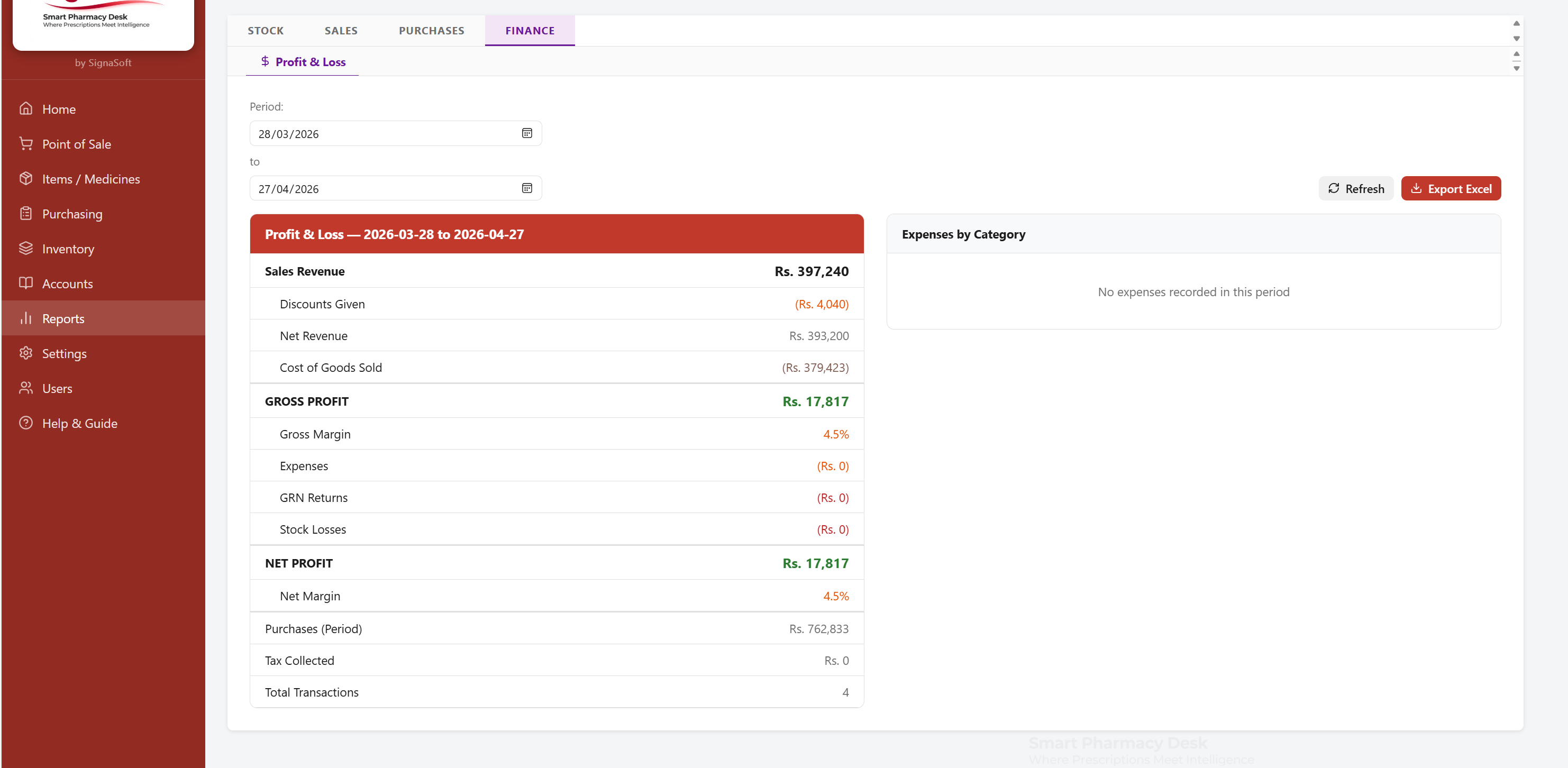
Revenue vs cost vs expense breakdown. See gross and net profit for any period with category-level expense details.
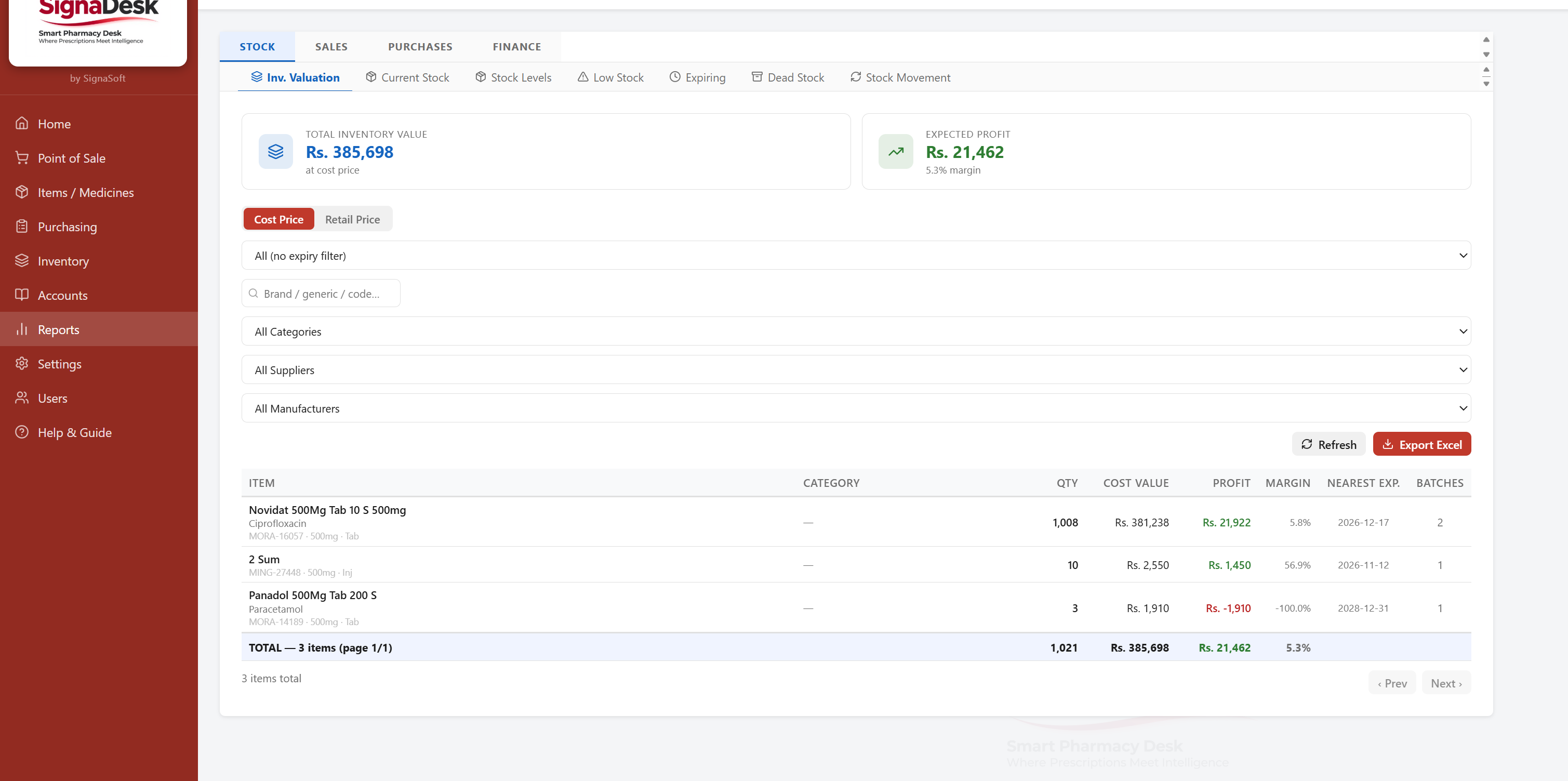
Current inventory value at cost price per batch. Identify expiring stock, slow movers, and dead stock across your entire catalogue.
Role-based users, shelf mapping, HR attendance, and automated backups keep the system running securely.
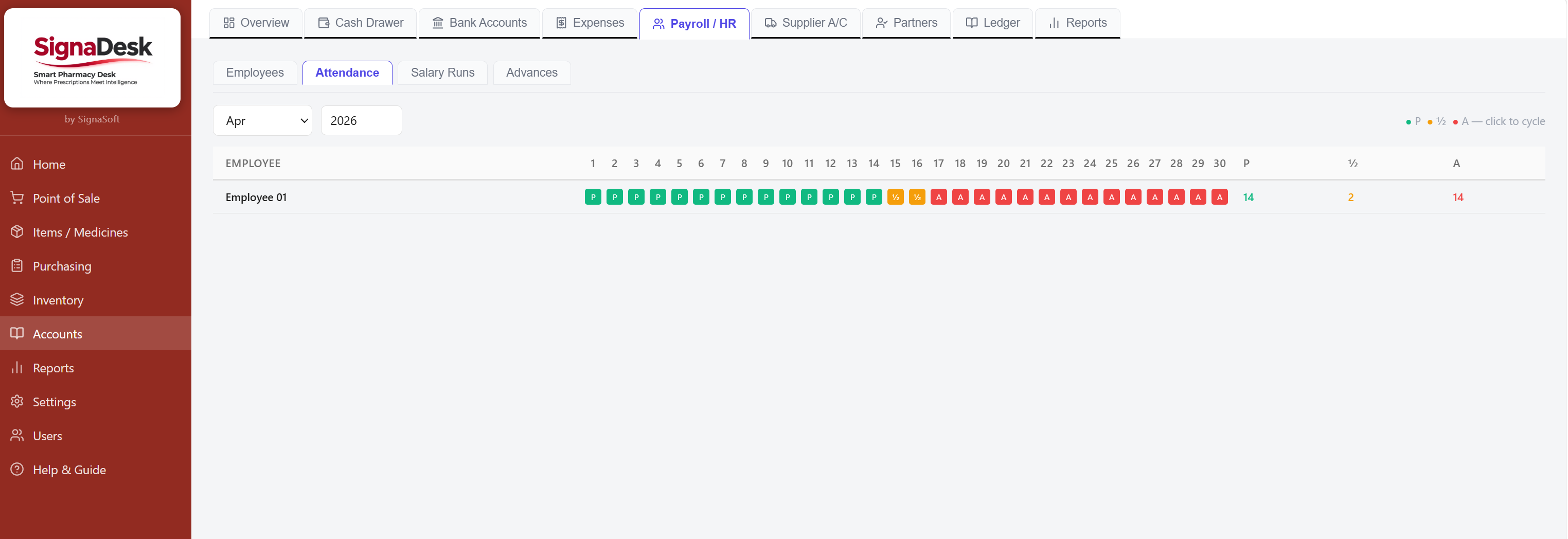
Mark daily attendance for all staff. Generates payroll from attendance records. Linked directly to the salary and advance modules in Accounts.
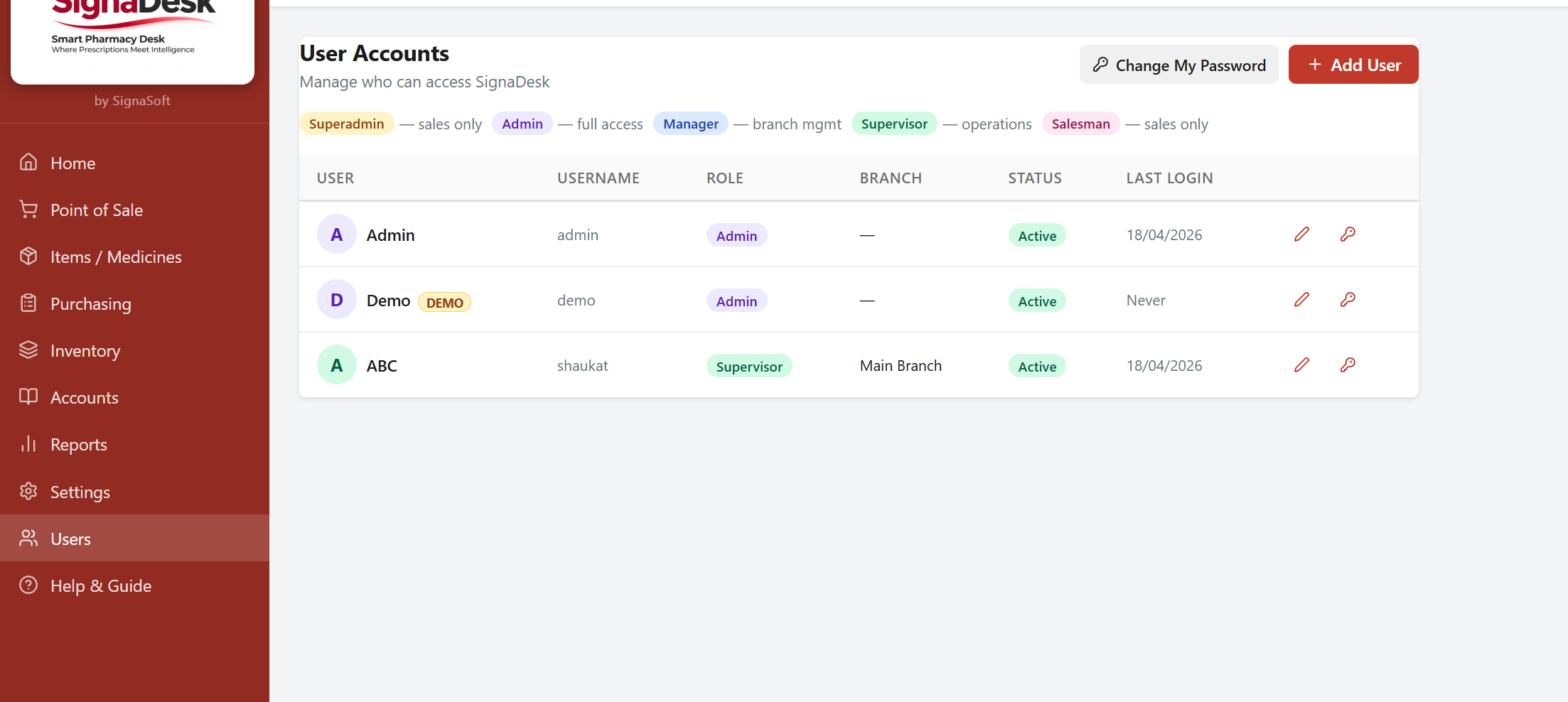
Create users with roles: Admin, Manager, Supervisor, Cashier. Each role restricts access to relevant modules only. Passwords managed securely per user.
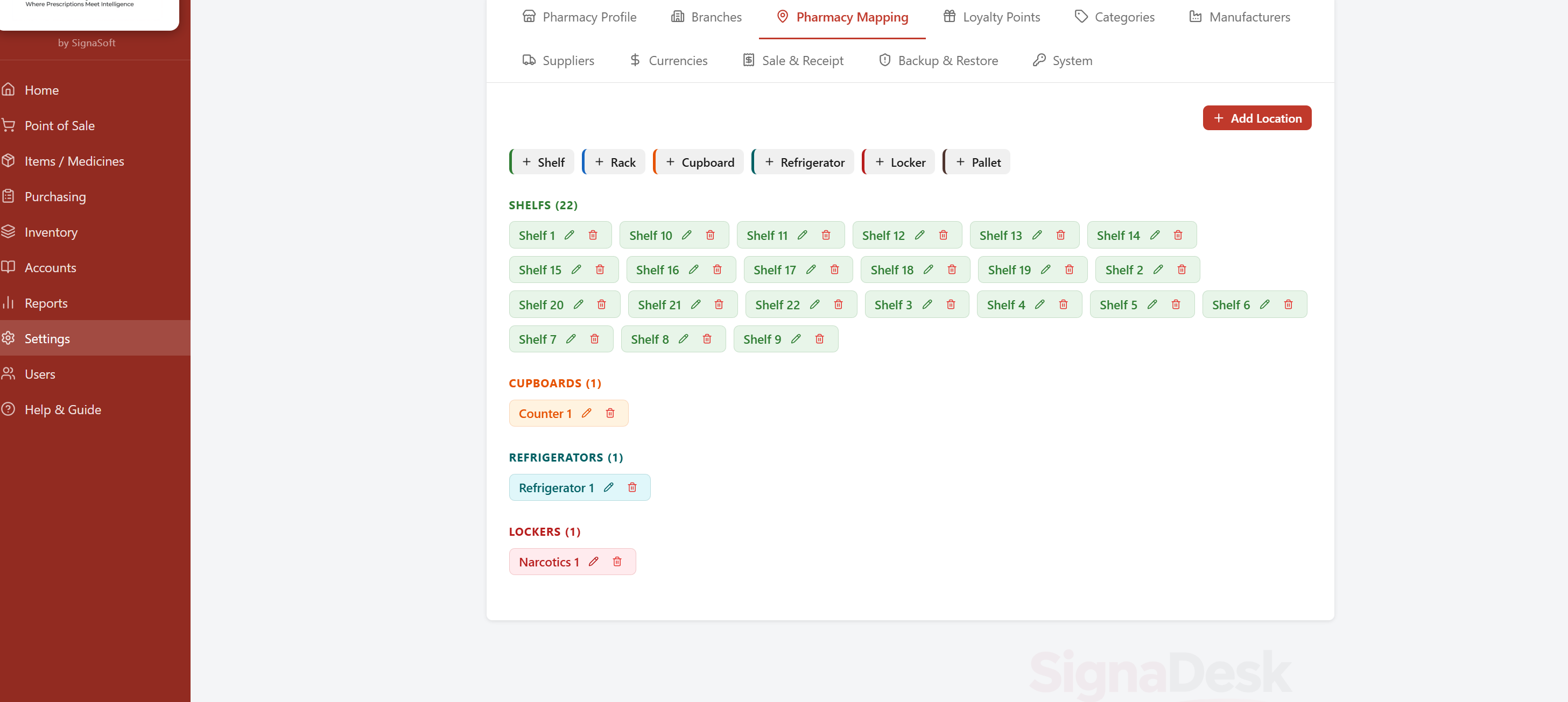
Define shelves, racks, refrigerators, and storage locations. Assign items to locations so staff can find stock faster during billing and stock counts.
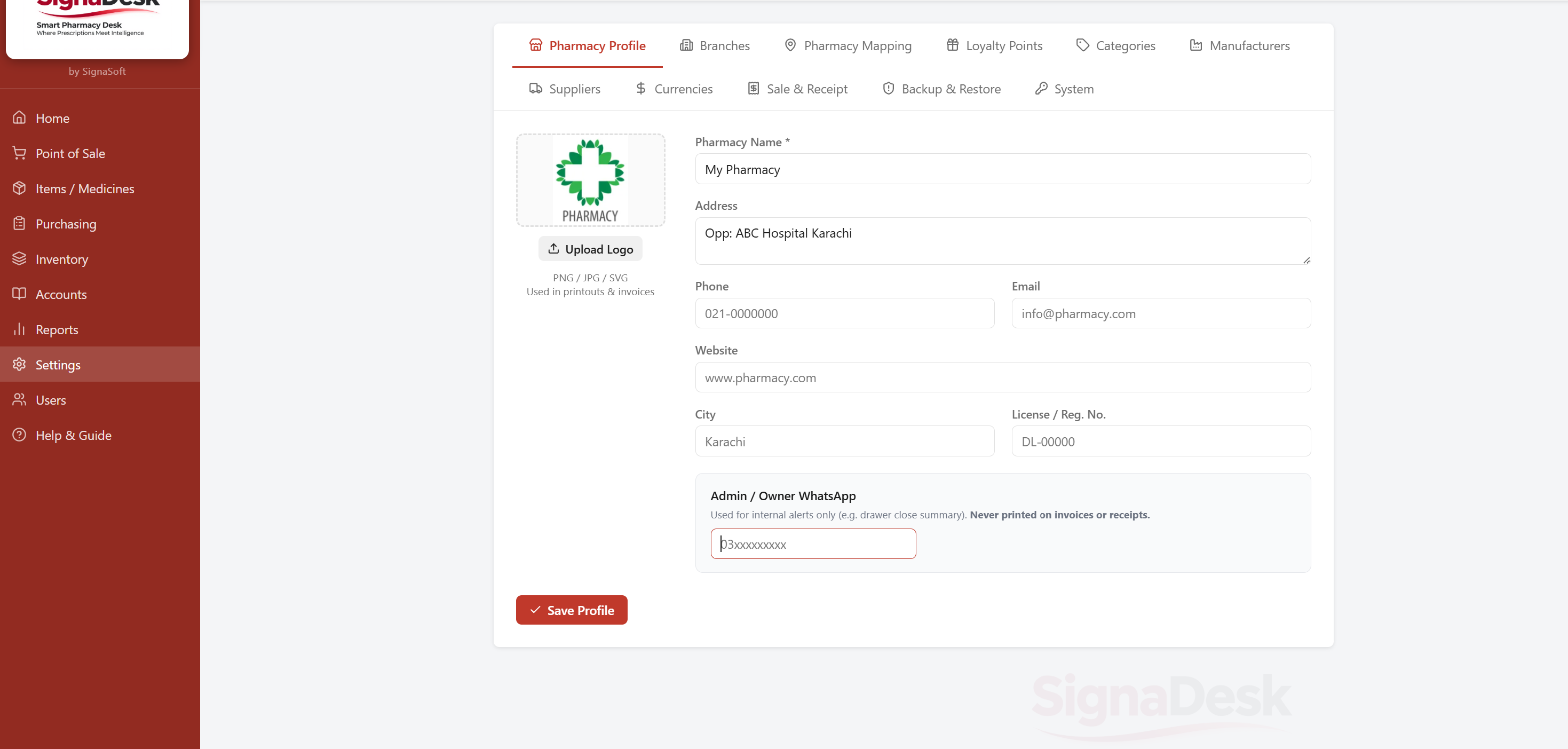
Configure pharmacy profile, branches, loyalty points, categories, suppliers, currencies, and all system-wide preferences from one organised settings panel.
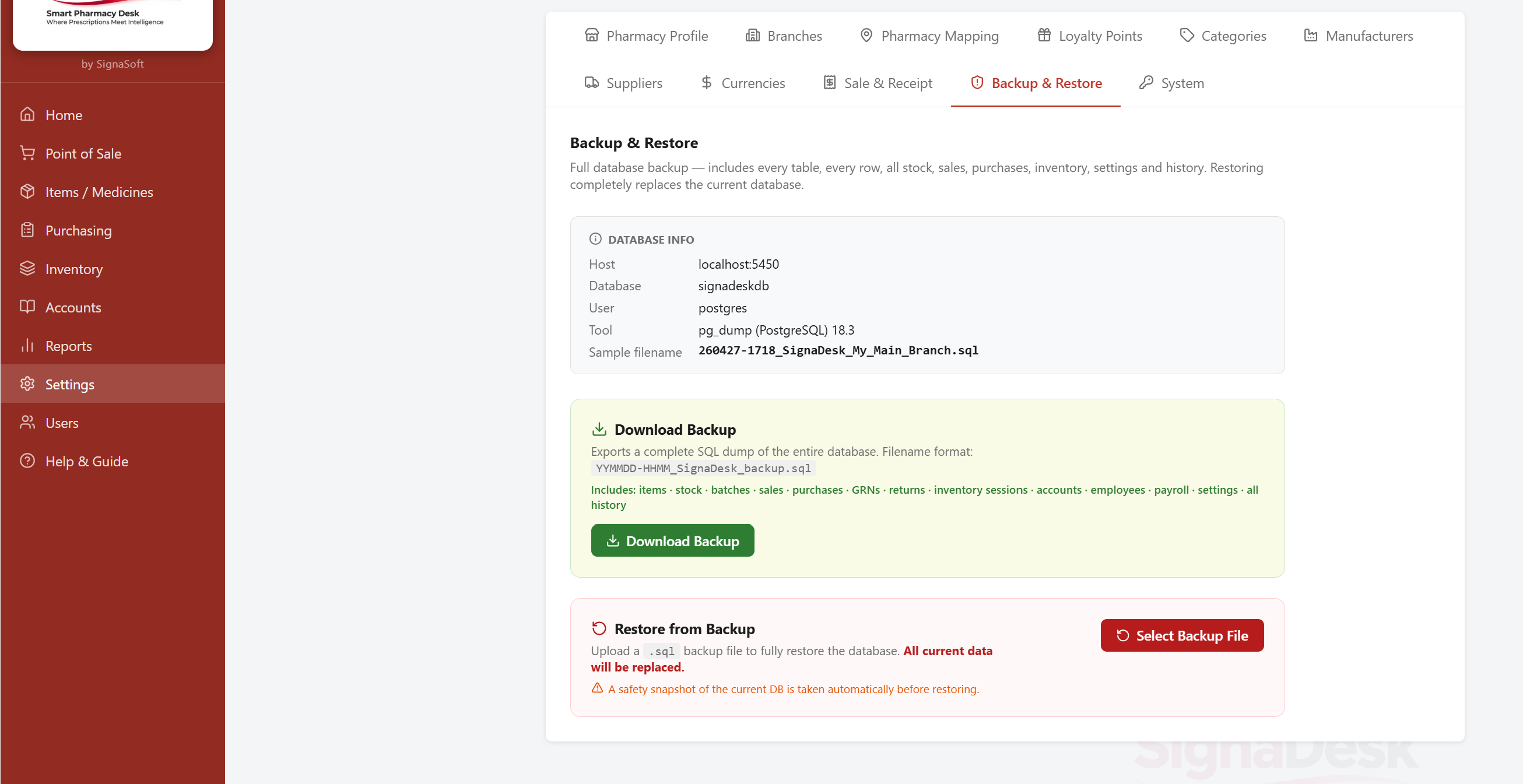
One-click database backup with automatic scheduling. Restore from any saved backup point. All data stays local — no cloud dependency required.
Request a live demo and we will walk you through the full system with your own data.